
event
Trophy Hutch
Wiki edited Apr 3, 2025
Summary
- Players can use a Trophy Hutch to store and organize items acquired as [EventScore Reward Rank items, Kings Faire Trophies, and potentially other reward-like items
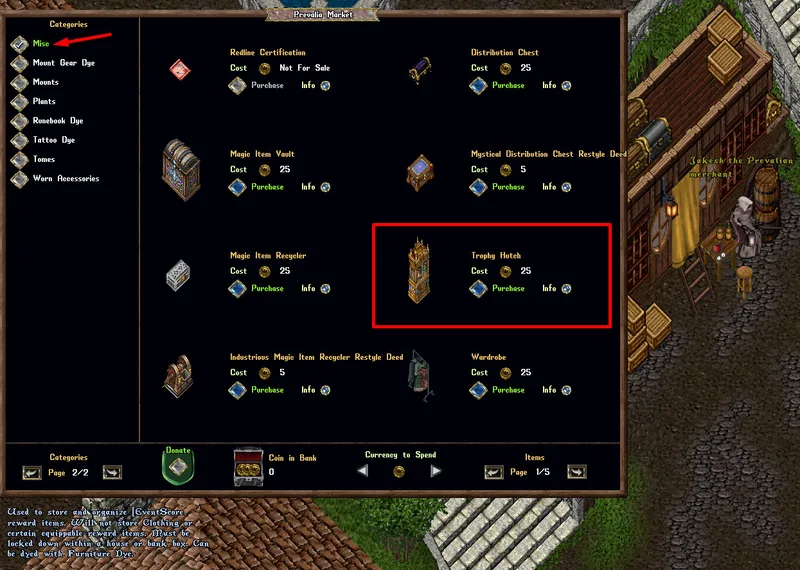
- Players can purchase a Trophy Hutch from the Prevalian Merchant under the "Misc" category
- Trophy Hutches can be dyed with Furniture Dye
Accessing the Trophy Hutch
- A Trophy Hutch may only be used if they are Locked Down / Secured within a house, or within a player's Bank Box
- Only Co-Owners of a House may access the Trophy Hutch
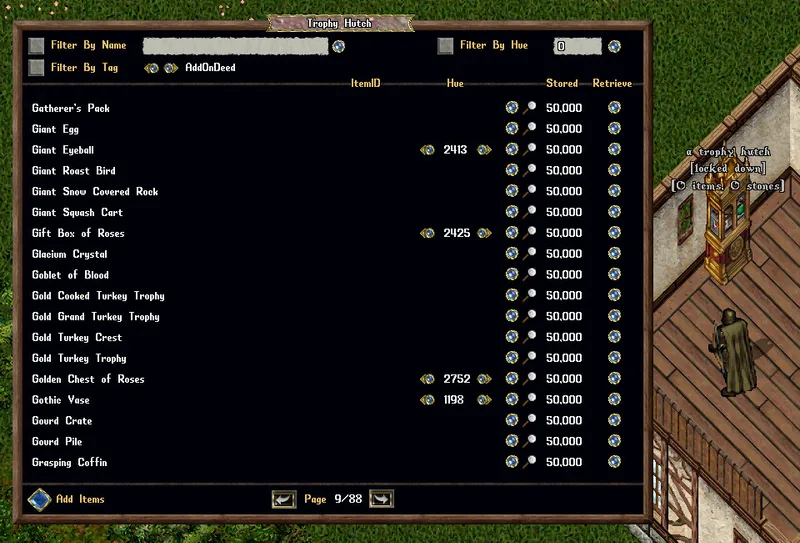
- Players can double-click a Trophy Hutch to launch the Trophy Hutch Menu
Adding Items to Trophy Hutches
- Players can add most [EventScore reward items into Trophy Hutches (with the notable exception of Clothing and certain Equippable items)
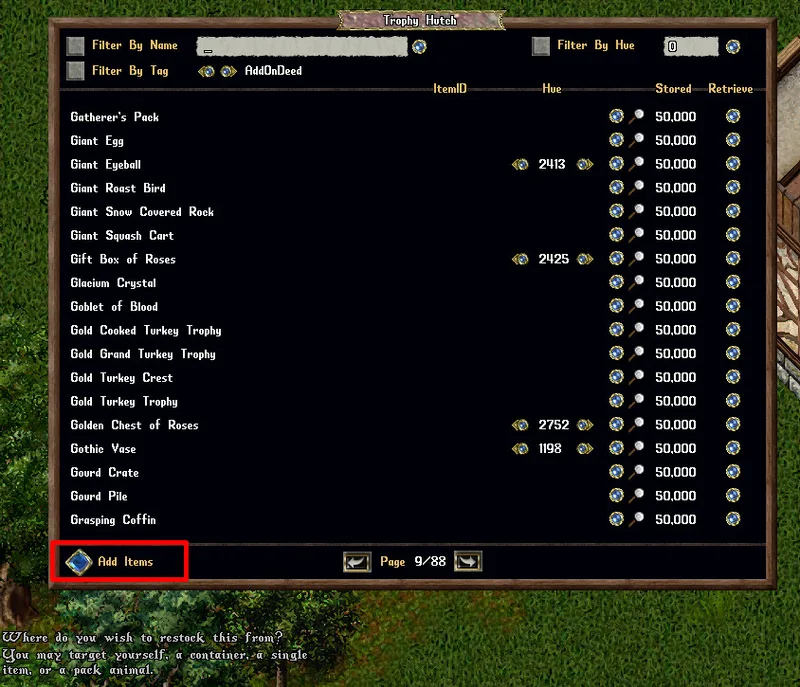
- Players can click the "Add Items" button to target one or more items to add to the Trophy Hutch (player will receive a Targeting cursor)
- Players can also shift-click the Trophy Hutch and select the "Restock" context entry to add all valid items from their backpack to it
- If the Trophy Hutch is Secured, players can drag/drop items onto it to add them directly to it
Filtering Items
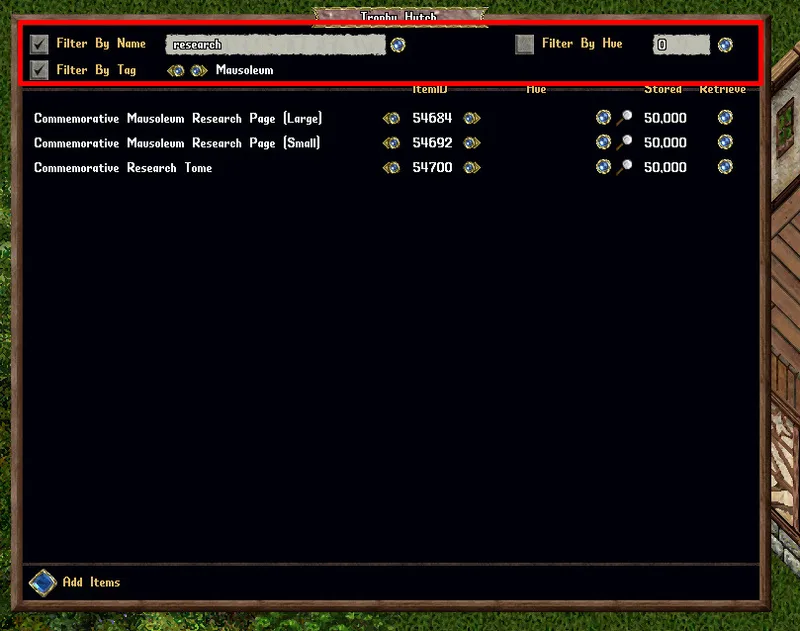
- Players can Filter which items are displayed in the trunk by Name, Hue, or a variety of Tags (such as Random Hue, Dyeable, Container, Mausoleum, KingsFaire, AddonDeed, Lightsource, etc)
Managing Items
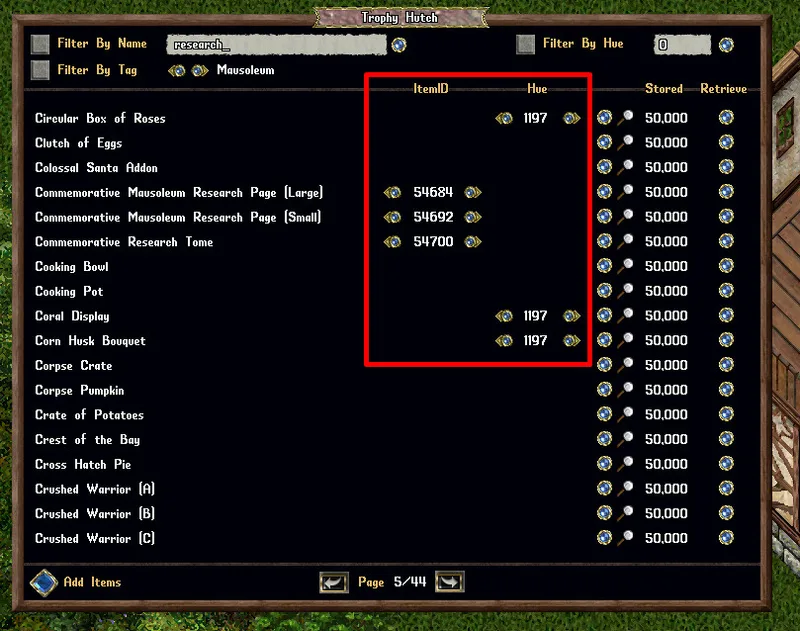
- Players can use the small arrow buttons to switch between different ItemID (Graphic) and Hue versions of stored items
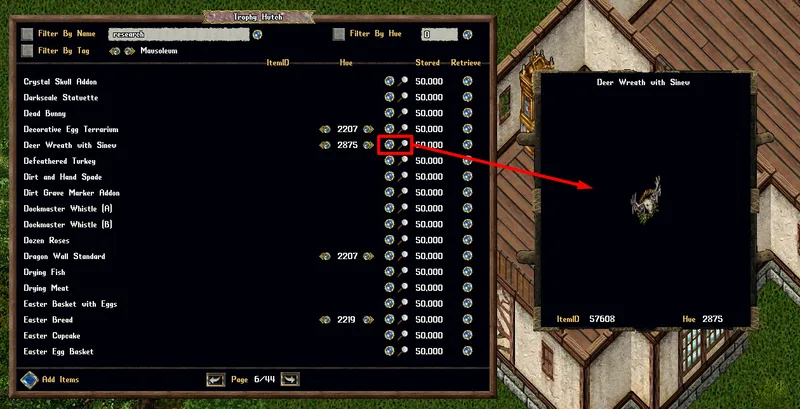
- Players can click the Magnifying Glass button next to an entry to see a preview of it with its selected ItemID (if applicable) and selected Hue
Retrieving Items
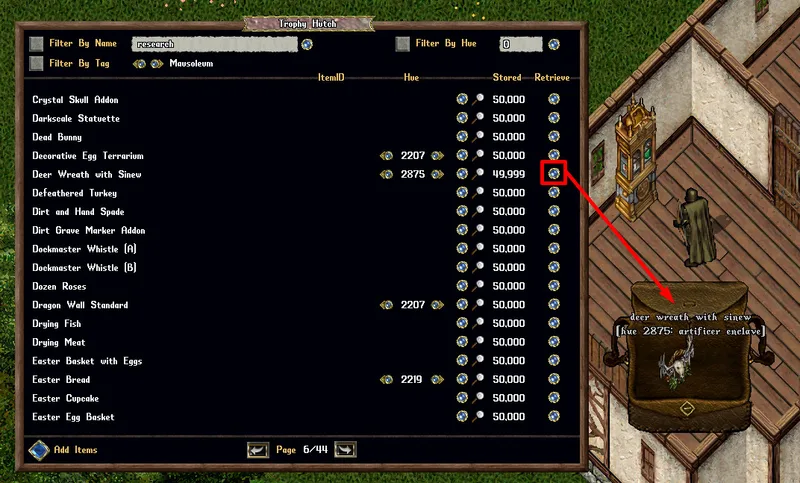
- Clicking the Retrieve button next to an entry will retrieve one copy of that item with its currently selected ItemID (if applicable) and selected hue
Items Supported
- Not every reward item from [eventscore reward ranks will be supported for the Trophy Hutch, due to the uniqueness of how some of the items are coded (we're aiming to get 99% of them supported)
- Most in-event rare item drops or server-handout items are also not initially supported for the Trophy Hutch, but we'll work to try to get as many of them supported as possible in the future
Mentioned in official posts
- patchPATCH: So Many QoL Updates & More!Mar 23, 2026
- patchPATCH: MAH Exemptions, Bug Fixes and More!Sep 15, 2025
- patchPATCH: Test Shard UpdateMar 27, 2025