
guide
Backpack
Summary

A player's Backpack is their main inventory where the player can store their items while they are out and about the world. It can be opened from the Paperdoll by double clicking the backpack or by pressing ALT + I.
Once opened, the backpack can be moved around the screen, minimized by clicking the button at bottom of the bag (see gif), or closed by right clicking on it.
Backpacks have a default capacity of 125 items and 450 stones. Players can only increase the capacity of their backpack item count and weight limits through the use of the Camping skill. (Strength no longer affects backpack capacities)
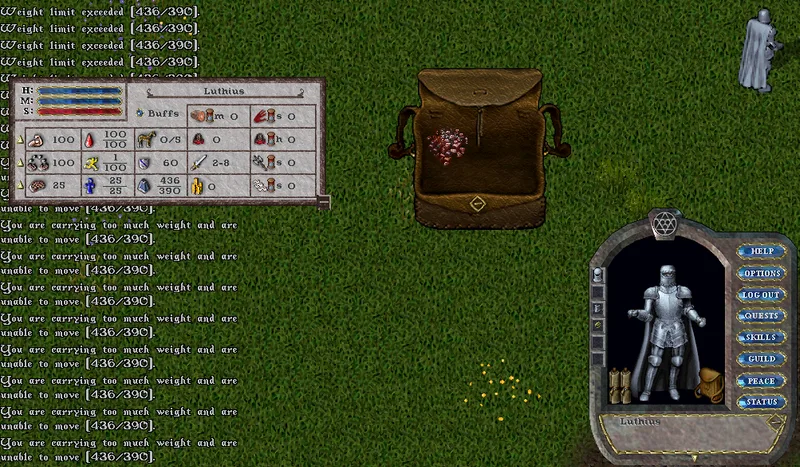
Players can exceed the item count capacity by 5 items, and the weight capacity by 50 stones. If a player exceeds the item or weight limit, they will lose stamina with each step taken while overweight.
Dying
- Players can customize the hue of their backpack with Backpack Dyes, by using them on themself or backpack in their paperdoll. Backpack dyes can be obtained from a variety of systems including: The Prevalian Merchant, Monster Drops, Point Systems or even crafted by 120 Tailors.
- These dyes are saved to the character, and can be changed with a Wig Stand
Container Item Limits
- While a player can have Total Item Limit above 125 (due to Camping Skill or other bonuses) they are still restricted to placing at most 125 Items into a single "nested" container on the player (including worn Satchels/Quivers/etc)
- This limit is to prevent the player from creating a movable containers that would exceed limits that other players can lift, or secure/lockdown in a house
- The exception to this rule is players can directly have over 125 items on the main layer of their Backpack (because this container is not movable)
Total Weight and Total Item Count Determination
- A player's Total Weight and Total Item Count will now only consider the contents of their Backpack and Equipped Containers (Quivers/Satchels/etc) and not the weight of the containers themselves (unless otherwise noted, as some Equipped Containers will ignore Item Counts for their contents)
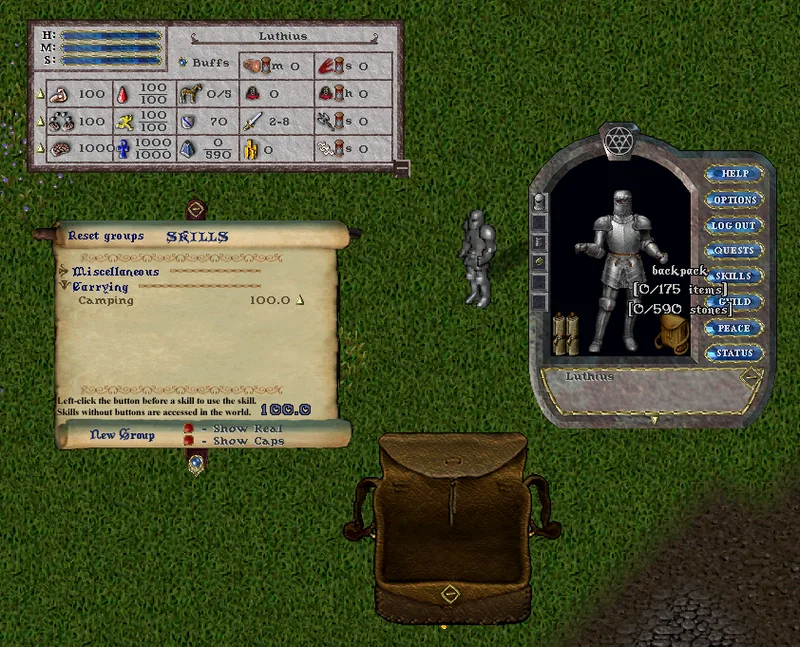
- Single-clicking a player's Backpack will now show the player's combined Total Weight and Total Item Count for their Backpack and all Equipped Containers (Satchels/Quivers/etc)
- The Status Bar for a player has been updated to correctly display the player's Total Weight and Weight Capacity
Weight and Item Limit Buffers
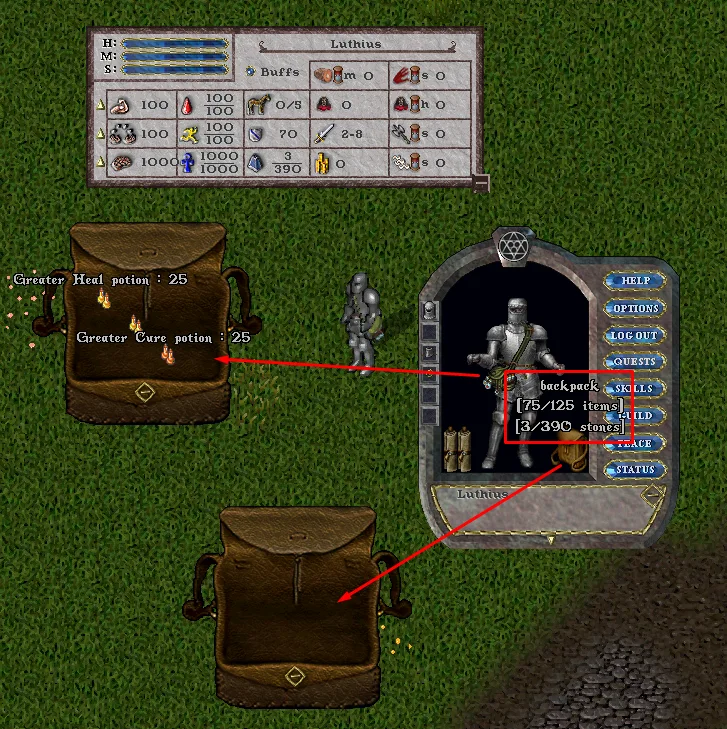
- Players are allowed to add items into their Backpack/Equipped containers beyond their carry capacity (and be subject to Stamina penalties) so long as they dont exceed buffer limits of:
- Total Weight Capacity by 50
- Total Item Capacity by 5
- Players will be prevented from adding items to held containers beyond these limits
Exceeding Carrying Capacity
- If a player has exceeded either their Total Weight or Total Item Limit and moves, they will lose 10% of their Max Stamina (min 2 Stamina) for each step taken and will receive a system message telling them their current Total vs Capacity
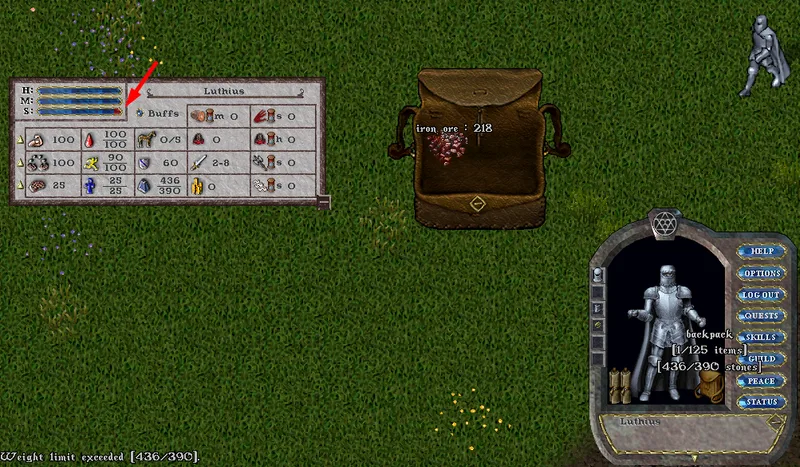
- If a player has exceeded either their Total Weight or Total Item Limit and is at 0 Stamina, they will not be able to move and will receive a corresponding system message as such
- Overloaded players will not be able to Recall/Hike/Magical Travel
Mentioned in official posts
- eventEVENT: Step into the Graveyard Bash!Oct 24, 2026
- eventEVENT: The Field of Souls Returns!Oct 17, 2026
- newsHalloween 2026 Prevalian MerchantOct 17, 2026
- patchPATCH: QoL Updates, Distro Loot Bag, Container Gumps and more!Oct 12, 2026
- eventEVENT: The 8th Annual King’s FaireAug 24, 2026
- eventEVENT: The Easter Feast Has Begun!Apr 4, 2026