
Patch · Oct 12, 2026
QoL Updates, Distro Loot Bag, Container Gumps and more!
Echoes
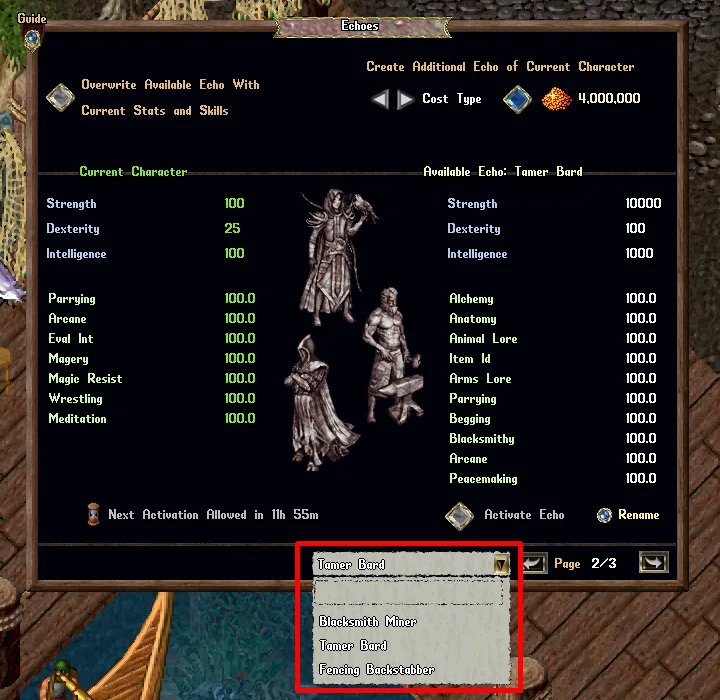
- The Echoes menu now has a drop-down list to switch between Available Echoes (right side)
- The previous/next buttons for navigating Available Echoes can now cycle from start/end
Rental Vendors
Daily Upkeep
- When calculating the Daily Upkeep cost of Rental Vendors, items listed at a flat or per-item price of over 500,000 gold are now capped at 500,000 each for their upkeep calculation
- When calculating the Daily Upkeep cost of Rental Vendors, any items listed for sale by “Stack Price (each)” with a total stack value of over 5,000,000 gold are now capped at 5,000,000 for their upkeep calculation
Rental Vendors Collect All Gold
Players now have access to a Collect All Gold mechanic that allows them to withdraw all Gold Stored from all of their Rental Vendors in one simultaneous action, including those Owned by the player and those they are Renting from another player via a Rental Contract
My Vendors Menu
Players can use the Collect All Gold feature from the “My Vendors” menu, which can be accessed from the following:
- By typing [Vendors
- Paperdoll -> Help -> My Vendors
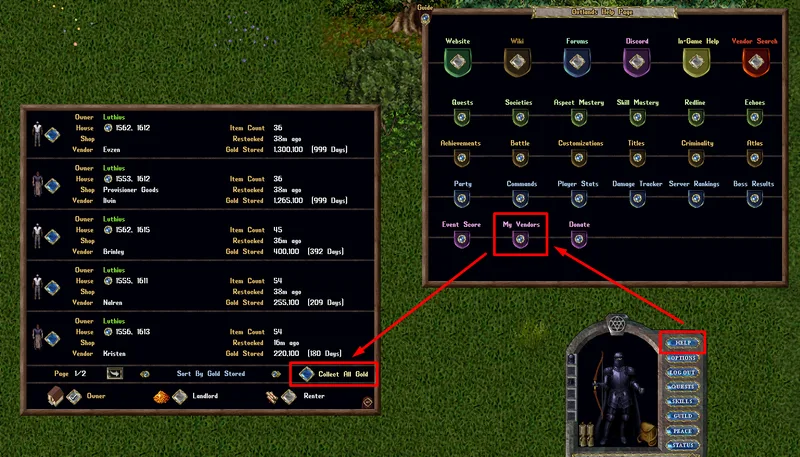
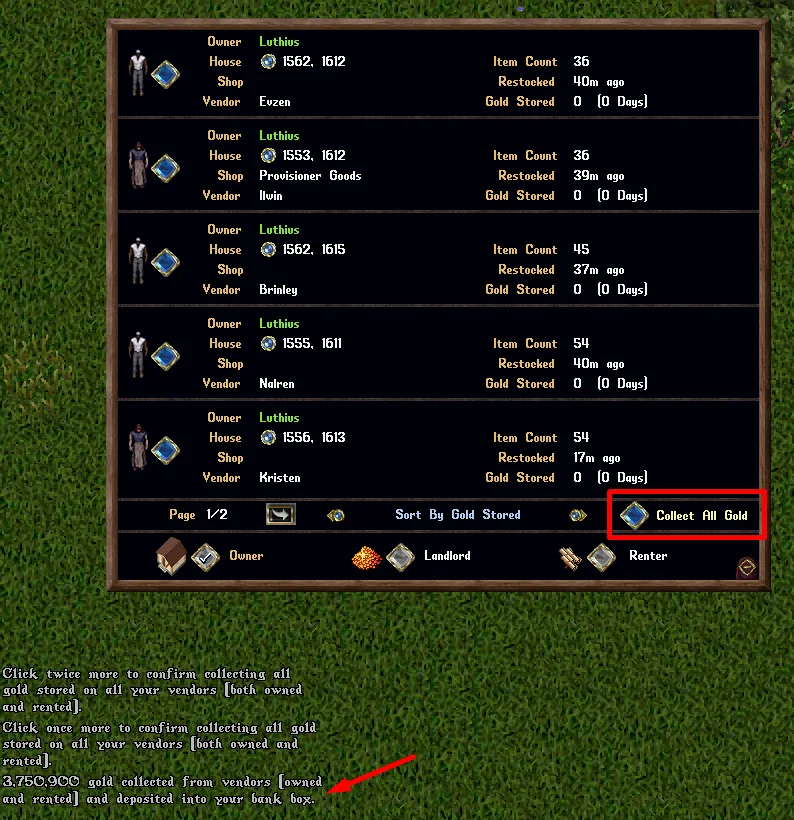
- By clicking the “Collect All Gold” button (with triple-click confirmation) from the menu, the player will withdraw all “Gold Stored” on each of their vendors and deposit it into their character’s Bank Box
Dismiss Vendor
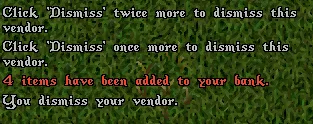
- Players can now dismiss their Rental Vendors (owned or rented by the player) that still have items remaining in their backpack
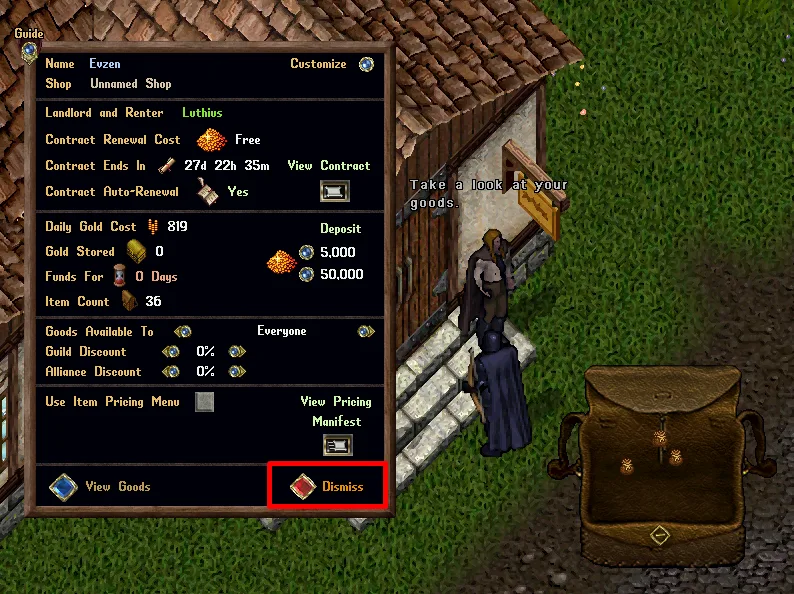
- Dismissing a vendor that has items will add the items to the player’s Bank Box and use the “Queueing” mechanic if insufficient space exists in their bank
Last Restocked
- Adding items to an existing Stack of items for sale on a Rental Vendor will now update the “Last Restocked” date for the vendor
Guild and Ally Discounts
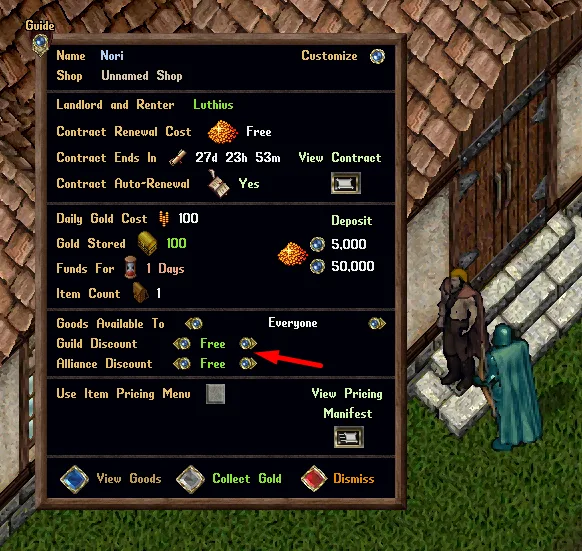
- In the Owner menu for a Rental Vendor, setting a 100% discount for Guilds or Alliances will now display as “Free” (rather than 100%, to avoid confusion)
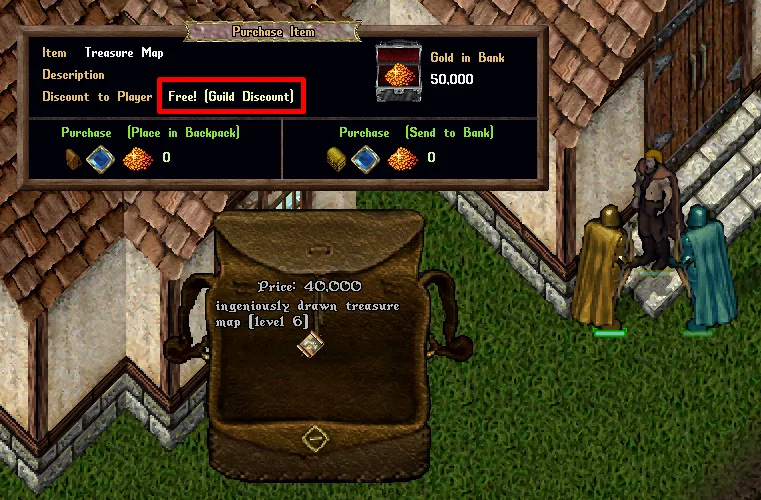
- In the Purchase Item menu for players, any items that have a 100% discount to them will now display as “Free! (Guild/Ally Discount)”
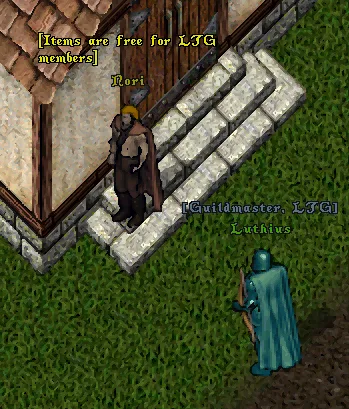
- Single-click display for vendors with 100% discounts for Guilds/Allies will now display as “[Items are free for Guild/Allies]”
Summoning
- Fixed an issue that would cause the Air Elemental “Microburst” upgrade to not calculate its bonus correctly
- Fixed an issue that would cause the Blade Spirits “Dancing Blades” upgrade to not calculate its bonus correctly
- Fixed an issue that would cause the Daemon “Ancient” upgrade to not calculate its bonus correctly
- Fixed an issue that would cause the Energy Vortex “Gathering Storm” upgrade to not calculate its bonus correctly
Region Restrictions
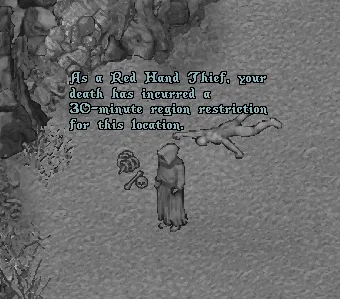
- Red Hand Thieves that die in a restricted region (such as Dungeons) will now have an overhead text notification informing them of their new Region Restriction for that location (rather than only a system message)
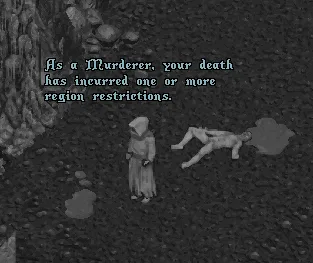
- Murderers that die in a restricted region (such as Dungeons) will now have an overhead text notification informing them of their Region Restriction for one or more locations (rather than only a system message)
- Players will still receive a “Say ‘I must consider my sins’ or type[ConsiderSins to view your region restrictions” system message upon death as a Thief or Murderer
Houses
- Fixed an issue where a changing a house from Public to Private would result in an incorrectly facing House Sign
- Purchasing a House through the House Sign will reset all settings on the house for Warp Tiles and Custom Shipping Crates (mechanics will remain unlocked but locations will be wiped and settings reset to their most strict values)
Rental Rooms
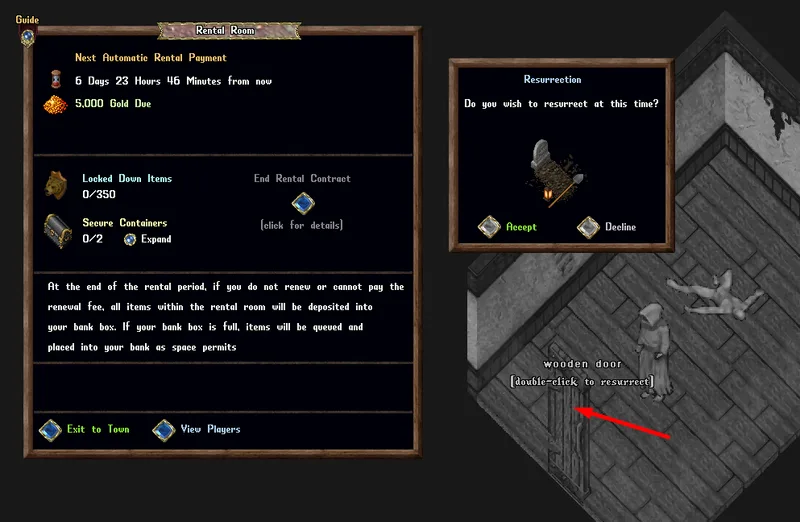
- Single-clicking the front door of a Rental Room while a ghost will now display “(double-click to resurrect)”
- Double-clicking the front door of a Rental Room while a ghost will now give the player an option to resurrect
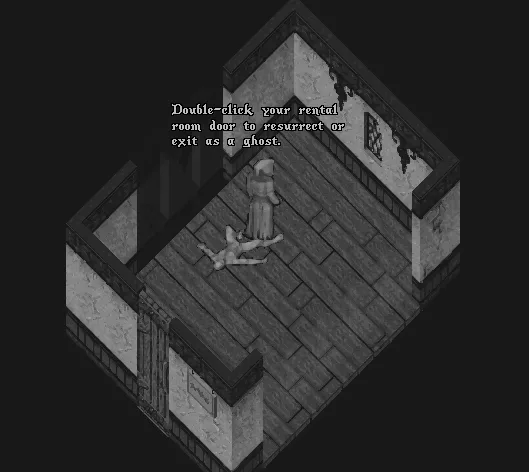
- When players die inside of a Rental Room, they will receive a “Double-click your rental room door to resurrect or exit as a ghost.” overhead message
Codex Loadouts
- Swapped the position of Up/Down buttons for changing Codex Loadouts to match navigation of loadouts within the drop down list
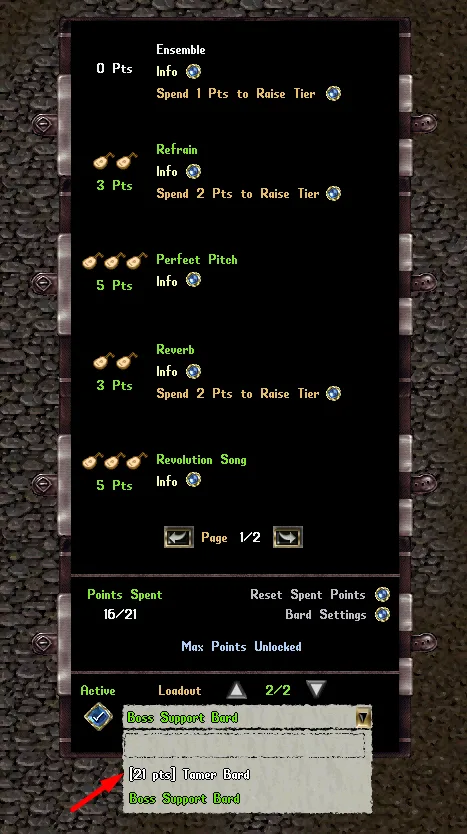
- Any Codex Loadout in the drop down list that has more points spent than the normal max allowed (20 for most codexes) because of Redline Codex Upgrades, will now display the total points spent in the name of the loadout, such as “[21 pts] Tamer Bard”, so players will know that Redline Codex Upgrades were used for that loadout
Distribution Loot Bag
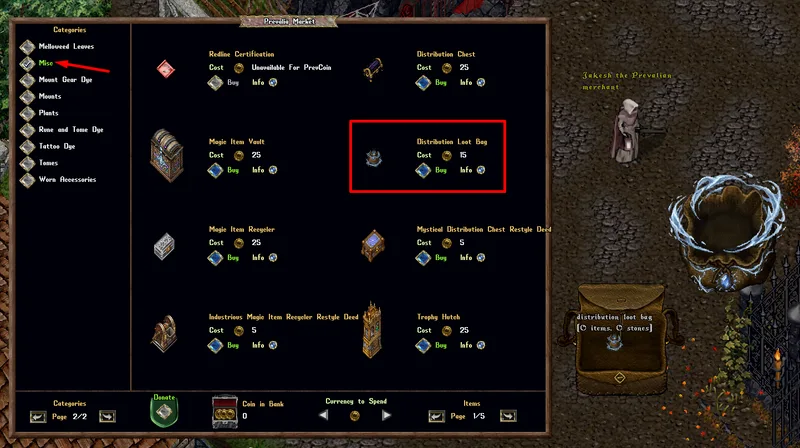
- Players can now purchase Distribution Loot Bags from the Prevalia Market under the Misc category and Furniture category
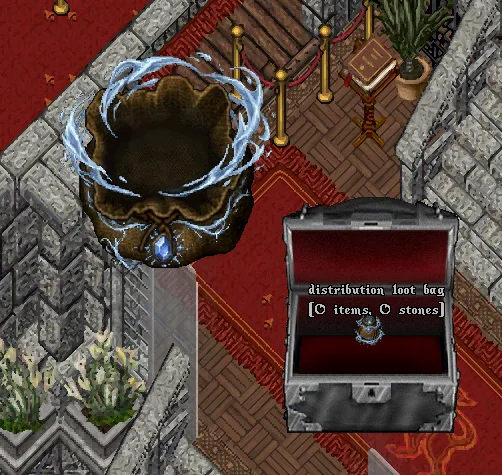
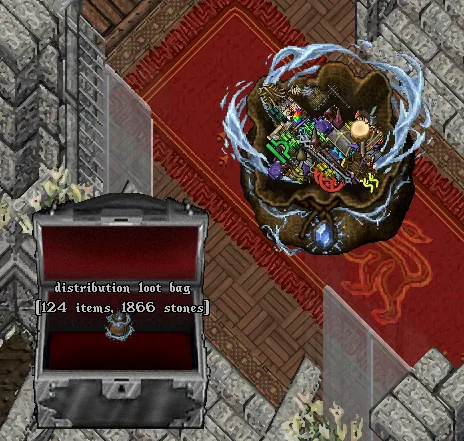
- If a player has a Distribution Loot Bag inside of their Bank, whenever any items are sent to the player’s Bank via a distribution from a Distribution Chest, those items will be placed into Distribution Loot Bag rather than the main level of their Bank Box
- Any items that cannot fit inside of the Distribution Loot Bag (125 item limit) or that would exceed the player’s bank total item capacity (125 item limit or more with customizations) will use the normal “Bank Queue” handling
Distribution Chests
- The Retrieve Empty Containers mechanic of Distribution Chests will now ignore any Paragon Chests that are sealed (and effectively contain items)
Gold Decay
- When Gold Decay occurs inside of a dungeon (for gold on the ground or in a container on ground), any Gold amounts of 99 or lower will be deleted (rather than being reduced)
Adventurer’s Satchel
- Removed the “Add All in Backpack” shift-click Context Menu option button from Adventurer’s Satchels
Item Graphics
- Fixed a number of items that had incorrect “rotated” graphics (via Interior Decorator)
Item Names
- Fixed a number of items that had incorrect single-click names (such as “Cambeson”, “Startassle Jelly”)
Containers
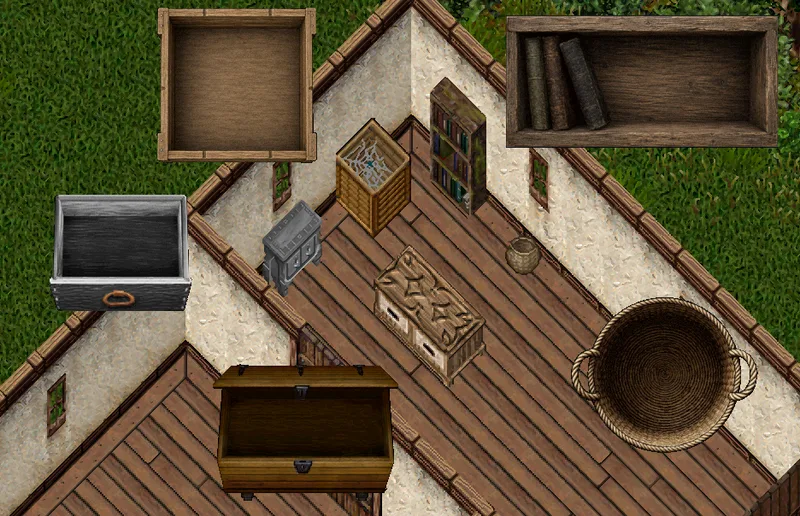
- Updated the Container graphics for over 100+ containers
Prevalia Trunk
- Fixed a number of limited edition Prevalia Merchant update “Add-On Deeds” that were not able to be added to the Prevalia Trunk
Ships
Bandages
- Players will no longer be able to use the Ship Hotbar to apply Bandages to crewmembers while they have a Veterinary Supplies usage in progress
Spyglasses
- Fixed an issue where Spyglasses were using the bonuses of the ship the player currently occupies, rather than the ship they are the captain of
Aggression and Damage Tracking
- Fixed a number of issues where various types of hostile Ship vs Ship activity between players would sometimes not initiate or maintain “aggression” tracking between the players and ships properly (leading to occasional issues with Infamy distribution)
- Aggression and Damage Tracking for Ship vs Ship activity will now universally last 5 minutes (will keep refreshing if combat continues, however)
Contested Ocean Bosses
- Fixed a number of Aggression flagging issues for combat occuring at a Contested Ocean Boss area (150 tile radius)
- When an Ocean Boss dies, the location the boss dies at will continue to be treated as as Contested Ocean Boss area in a 150 tile radius for the next 5 minutes for the purpose of Aggression and Infamy handling
Infamy
- Fixed a number of issues with Infamy not properly respecting Aggression occuring between Player Ships, Player Followers, and Player Crewmembers
- Players can now only receive at most 1 Infamy from a specific player every 15 minutes under any circumstance (Ship Sinking or Player Death or both)
- Player Deaths will now only count for Infamy if that player is still present on a Ship (and not land)
Infamy Decay
- At the start of each day, players will lose 1 Infamy
- If a player has not gained any Infamy within the last 3 days, they will instead lose 2 Infamy
- If a player has not gained any Infamy within the last 7 days, they will instead lose 3 Infamy
When Patch Goes Live
- Any player who has 30 or more Infamy on their OutlandsID at the time of this patch will be reduced to 29 Infamy
Barding
- All damage coming from creatures that are currently provoked by a player who has a Stationary Penalty in effect (due to not moving in 5 minutes or after last travel) will be reduced to 1
Aspects
Aspect Menu
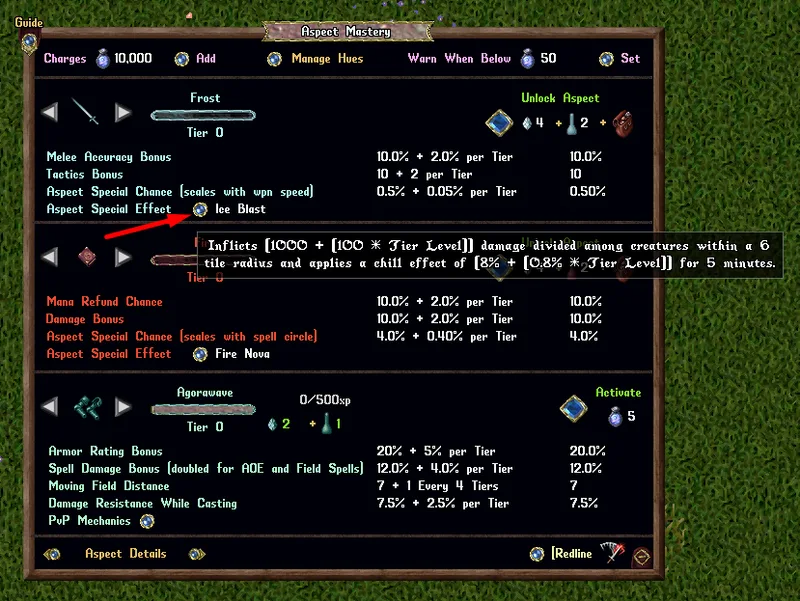
- The Aspect Special Effect buttons of the Aspect Menu now have rollover tooltips for their descriptions
Agorawave Armor
- Agorawave Fields will no longer hit creatures that are higher or lower than 15 z-level of the field’s specific tile (i.e creatures on a different floor than the caster)
Monster Shuffle
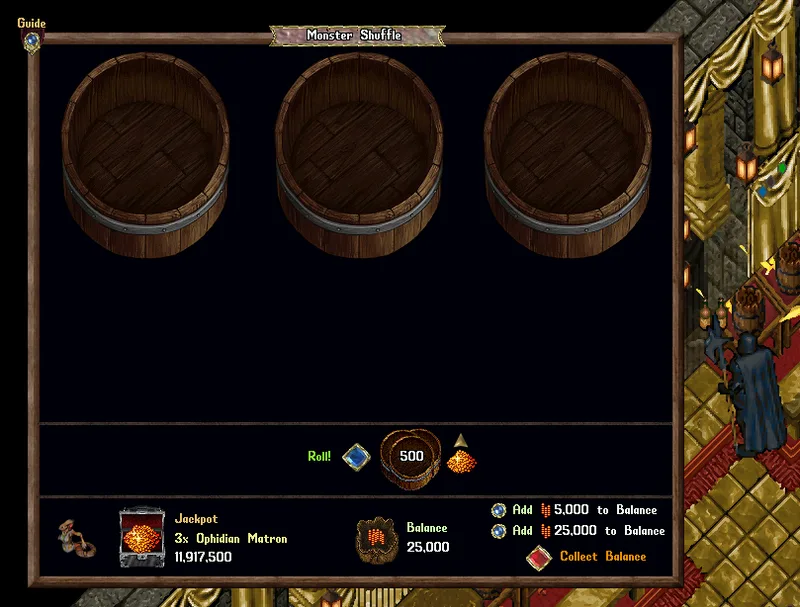
- Players now have an “Add 25,000 to Balance” button option for Monster Shuffle
- The starting Roll Cost of Monster Shuffle is now 500 (previously was 250)
- Players can now increase their Roll Cost up to a maximum of 25,000 (previous max was 5,000)
- Note: Win chances and handling for rewards are the same as before, and mechanics that scale with Roll Cost will increase linearly the same as before
Animations

- Monster Shuffle creatures are now animated!
Training Weapons
- Training Weapons should now do a maximum of 1 Damage (previously would begin at 1 damage but then would receive scalar increases from Codex / Redline / Mastery Chain / Skills and end up much higher)
Plants
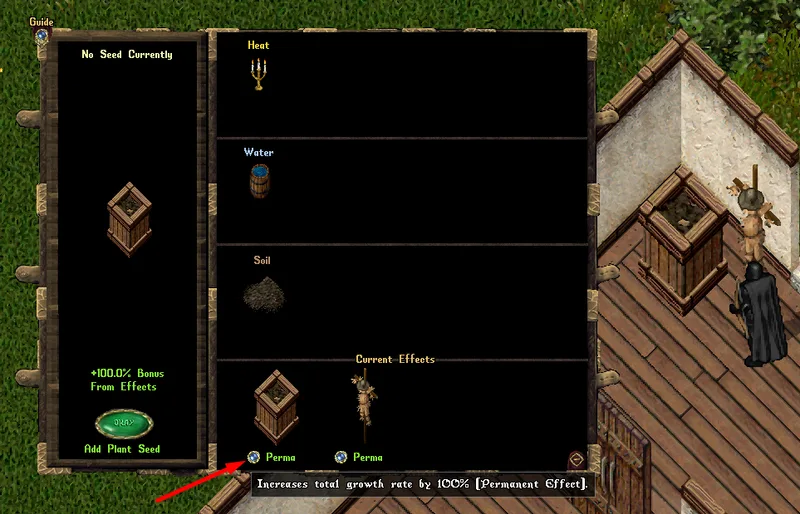
- Current Effects buttons for Plant Bowls now have rollover tooltips for their descriptions
Collectable Card Tomes
- Collectable Card Tomes should now be viewable by all players (even if not Owner/Co-Owner/Friends)
- Fixed an issue where players couldn’t close Collectable Card Tome menus by right-clicking on the specific card’s page
King’s Faire
- Fixed an issue where a player participating in a King’s Faire event would prevent other non-participating players on the player’s account in the King’s Faire Region from using items (such as Juggling items)
Fishing Poles
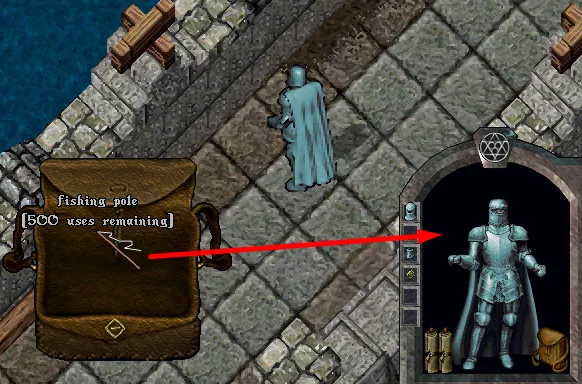
- Players can now double-click any Fishing Poles in their backpack to “Fast Equip” them following the same mechanics as Weapons/Armor
Weekly Lotteries
- Fixed an issue that would display the “Lottery End Date” for previous week’s Lotteries incorrectly as the date of the most recent lottery that completed
Event Moongates
- Players will no longer be able to use Public Moongates to limited-time event locations (such as King’s Faire, Prevalia Meadows, Snowbrawl) etc while as a Ghost
Society Master
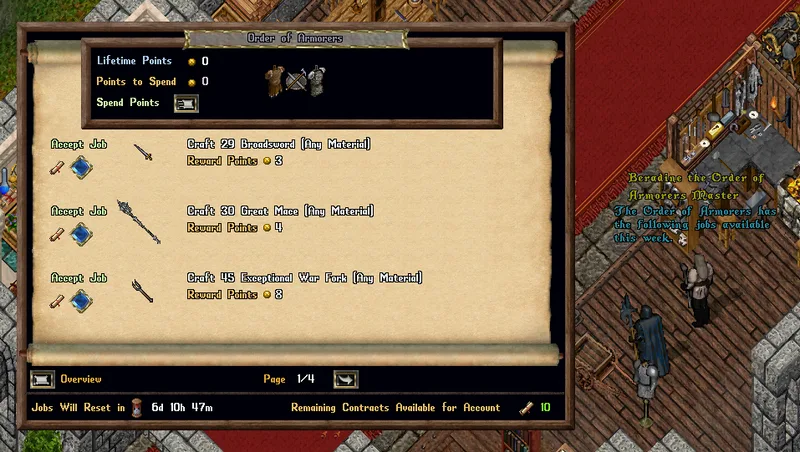
- Players can now double-click any Society Master NPCs to launch their Society Job menus
King’s Faire Interactive Prevalia Items
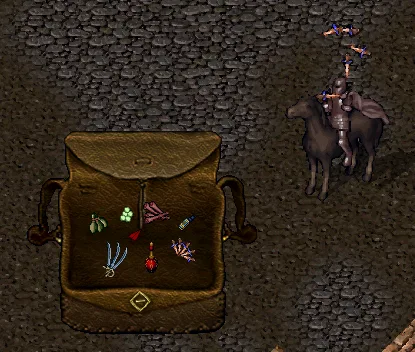
- A large number of interactive Prevalia Merchant items from the King’s Faire (including Juggling Items / Firebreathing Oil / Paper Airplines) can now be used while Mounted
Game systems named in this patch
Found by matching page and creature names in the post. A green mark means that page was updated after this patch was posted, so it may already reflect the change.
- Collectable Card Tomearticlewiki edited Jun 4, 2019
- Distribution Loot Bagarticlewiki edited Oct 14, 2026
- Distribution Chestarticlewiki edited Mar 10, 2026
- Interior Decoratorarticlewiki edited Oct 23, 2022
- Monster Shufflearticlewiki edited Oct 14, 2026
- Codex Loadoutsarticlewiki edited Sep 9, 2026
- Prevalia Trunkarticlewiki edited Apr 25, 2024
- Mastery Chainarticlewiki edited Oct 28, 2026
- Air Elementalcreaturewiki edited Dec 1, 2024
- Energy Vortexcreaturewiki edited Jan 14, 2026
- Context Menuarticlewiki edited Jul 24, 2019
- OutlandsIDarticlewiki edited Dec 7, 2022
- Veterinaryarticlewiki edited Nov 23, 2025
- Moongatesarticlewiki edited Jul 4, 2023
- Paperdollarticlewiki edited Mar 11, 2020
- Backpackarticlewiki edited May 20, 2026
- Prevaliaarticlewiki edited Jul 24, 2019
- Trackingarticlewiki edited Mar 17, 2026
- Lotteryarticlewiki edited Jul 25, 2026
- Paragonarticlewiki edited Nov 18, 2025
- Vendorsarticlewiki edited Feb 10, 2026
- Bossesarticlewiki edited Mar 25, 2025
- Echoesarticlewiki edited Jul 13, 2026
- Guildsarticlewiki edited Dec 24, 2025
- Housesarticlewiki edited Oct 5, 2022
- Infamyarticlewiki edited Oct 20, 2026
- Daemoncreaturewiki edited Dec 1, 2024
- Vortexcreaturewiki edited Dec 2, 2024
- Tomesarticlewiki edited Dec 7, 2025
- Ghostcreaturewiki edited Dec 18, 2024